
The computer does not turn on
Any trouble that arises with the computer can cause a lot of trouble. It may seem extremely incomprehensible 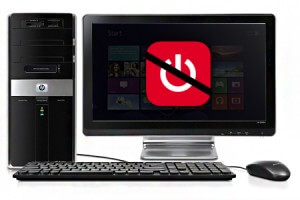 a situation when the computer does not turn on at all. But this does not mean that you should immediately look for a screwdriver and open the system unit. It is important to approach the issue responsibly and consistently.
What could be the cause of the problem?
- the power supply to the system unit is disrupted;
- problem with power supply to the device;
- accumulation of dust, contact failure or oxidation;
- problems with motherboard components;
- problems with the cable or other elements.
The system unit power supply does not turn on
The simplest way to check its functionality is to disconnect it from the network, as well as disconnect the other cables. Using a special tester, you can check the output voltage. Also, when some units wear out, the internal protective layer is damaged; to check, you can pull out the power cable and leave it for a few minutes, then return it to its original position and try to turn it on. If such actions do not bring results, try replacing the power supply.
The power supply to the device is interrupted
To eliminate this problem, you should start by checking the electrical outlet and power cord. Many electrical devices have identical cords, as an alternative, you can use the monitor cord. Try connecting the system unit to another outlet, the contact in the previous one may have come loose. Check the power supply button to see if it works.
Dust accumulation
Dust accumulation in the internal device of the computer can also be the cause of its malfunction. To solve this situation, you should clean the internal part of the system unit using a brush and a vacuum cleaner. All internal contacts, the board, and RAM also need care. This requires extreme accuracy and caution so as not to aggravate the problem.
Other reasons
If the previous steps did not lead to the desired result, then the problem may also lie in the malfunction of the motherboard, RAM, hard drive, a problem with the cable or video card, as well as other components. To accurately understand and fix the problem, it is better to contact professionals.
Where to find inexpensive computer help?
Our company offers fast help in eliminating all computer malfunctions and faults. We carry out professional repairs using only original spare parts. High-quality service, fast troubleshooting with a guarantee only in IT Help Service.
